AI at work is moving beyond drafting an email or summarising a meeting. The next step is software that can send a message, update a file, move information between systems or trigger a process for you.
That can remove useful amounts of admin. It also changes the risk. A poor answer from an assistant is inconvenient; a poorly governed automation can share the wrong information, change a record or keep running after the process around it has changed.
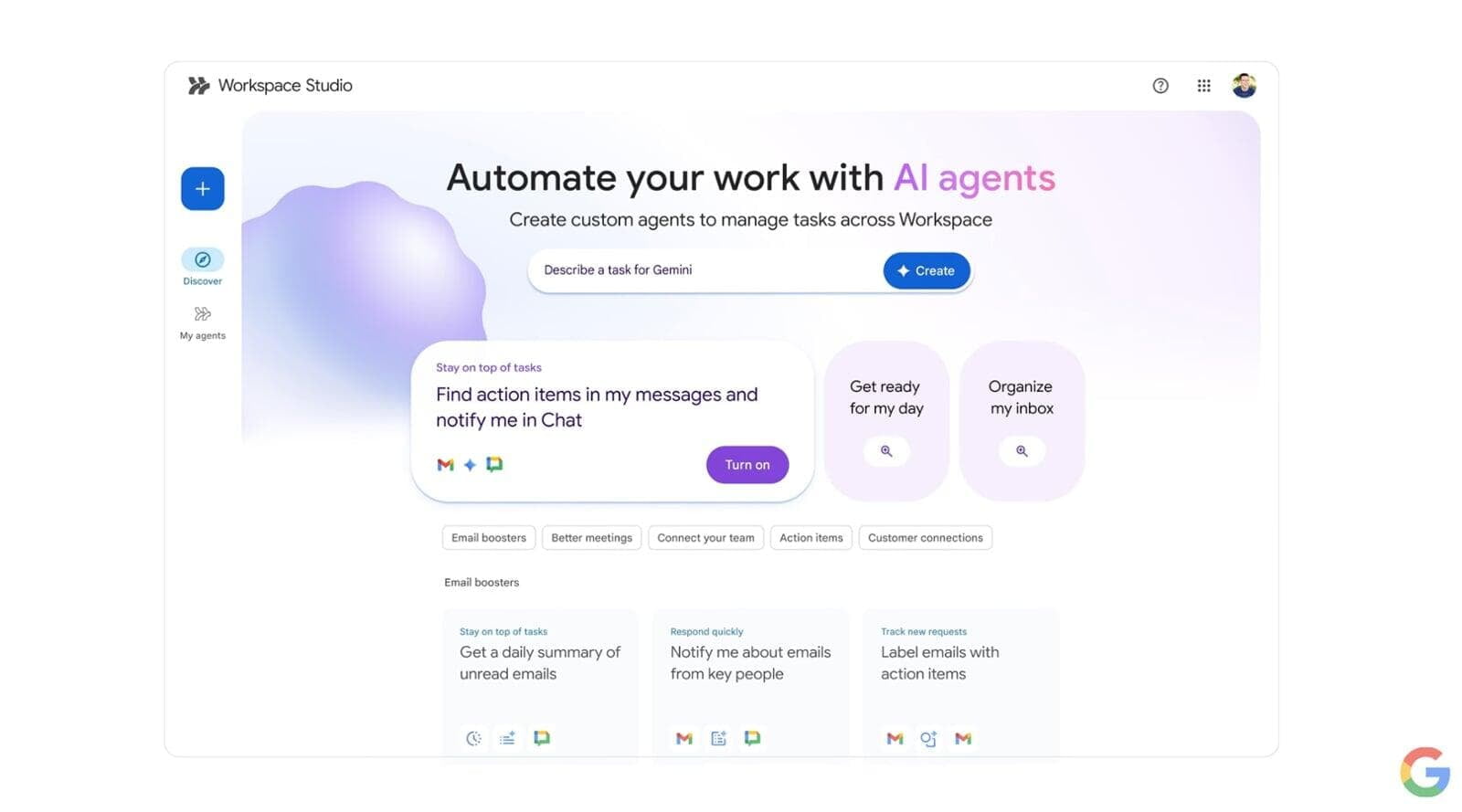
On 17 August, Google announced new security and governance controls for Workspace Studio, its no-code tool for building agentic workflows within Google Workspace. The important business question is no longer only “What can we automate?” It is “How do we automate without losing control?”
What is changing?
What is changing?
Workspace Studio originally focused more on helping a user with a task, such as drafting an email. Google is now introducing more cross-user collaboration actions, alongside controls for identity, access, auditing, human approval and data protection.
For newly created flows, Google says the automation will run with the user’s identity but receive only the privileges needed for the flow. It can also receive a unique, auditable identity, so an administrator can distinguish the flow from its owner when reviewing activity.
That is a useful improvement, but it does not repair untidy access permissions. Google’s administration guidance says a newly created flow can, by default, read, modify and share the same Workspace data its creator can access. If that person can see too much, the automation may still inherit a wider data footprint than the process needs.
Administrators are also getting an Agent access management view. It can show new Studio flows, pause their access to Google data or restrict particular access scopes. Audit events can include the flow identifier and owner context, while additional settings can disable certain steps, Gemini data access or webhook integrations.
Human approval is part of the control model
Human approval is part of the control model
Not every automated action should complete without a person checking it. Google now allows administrators to require approval when a flow affects people outside the organisation, such as adding content to an externally shared file or messaging an external group.
That is a sensible default around customer communications, personal information, contractual commitments and anything involving money or access rights. The flow can prepare the next action, but accountability stays with a person before information leaves the organisation.
The approval control is supported on Business Starter, Business Standard and Business Plus, as well as specified Enterprise and Education editions. More advanced data loss prevention controls for Studio and Gemini have a narrower edition list, including specified Frontline, Enterprise, Education and Enterprise Essentials plans. Do not assume every security control arrives with every Workspace subscription.
The rollout has important limits
The rollout has important limits
Google began rolling out the administration settings to Rapid and Scheduled Release domains on 17 August. Rapid Release end-user features started on 20 August, while broader Scheduled Release end-user features are due to begin on 1 September. Identity attribution is still labelled beta; its Scheduled Release rollout is due to start on 24 August.
Availability will therefore vary by tenant and release track. More importantly, the first wave of least-privileged identity, identity attribution, richer audit context and Agent access management applies to newly created flows. Google says support for existing flows will come later.
That creates a practical review point. An organisation with older flows should not assume the new dashboard and identity model cover them simply because the administration controls appear in the console.
What should SMEs do now?
What should SMEs do now?
- Start with one bounded process. Choose a repetitive task with clear rules, a visible outcome and an easy way to reverse mistakes. Creating a standard project folder and notifying the delivery team is a better pilot than allowing an agent to decide what happens across an entire customer journey.
- Map data and permissions first. Record what the flow needs to read, what it can change, who owns it and what it must never access. Review the creator’s underlying Drive, Gmail and group permissions before relying on the phrase “least privilege”.
- Keep approval around consequential actions. Require a person before external sharing, payments, personal-data handling, access changes or contractual communication. Automation should remove friction, not accountability.
- Separate new and existing flows. Build an inventory with owner, purpose, data access, release date and review date. Confirm which flows appear in Agent access management and which still operate under the older model.
- Review flows like user accounts. Recheck them when an owner changes role, a process changes or the data becomes more sensitive. Pause or retire flows that no longer have a clear business owner.
For an example of how centrally managed, auditable Google Workspace can support everyday operations, see our case study with a global B2B marketing business.
Our view
Our view
This is more consequential than another AI writing feature. As we discussed in our practical AI predictions for small businesses, the value of agents will come from helping real work move forward, but the more an agent can do, the more identity, permissions, logging and human approval matter.
Google’s controls are a useful step towards that balance. They provide better visibility and a more credible way to limit action, but the rollout is not complete, older flows are not yet fully covered and advanced data protection remains edition-specific. Doing nothing for a week or two is reasonable if your tenant, ownership model or permissions are not ready.
For most SMEs, the right move is a small, measurable pilot with clear boundaries. Automate one high-friction process, watch what the flow can access and keep a person responsible for the result.
If you are exploring Google Workspace automation, Ostratto can help you map the workflow, permissions and controls before you switch it on. Talk to us about Google Workspace.
Contact
Get in touch with the team to discuss how we support your business with practical, people-first technology and long-term solutions.
About
Learn who we are, what we stand for, and how Ostratto helps businesses make their work, less work through practical technology solutions.
Our Approach
Discover how we partner with you - focusing on strategy, simplicity and long-term value to deliver technology that truly supports your business.